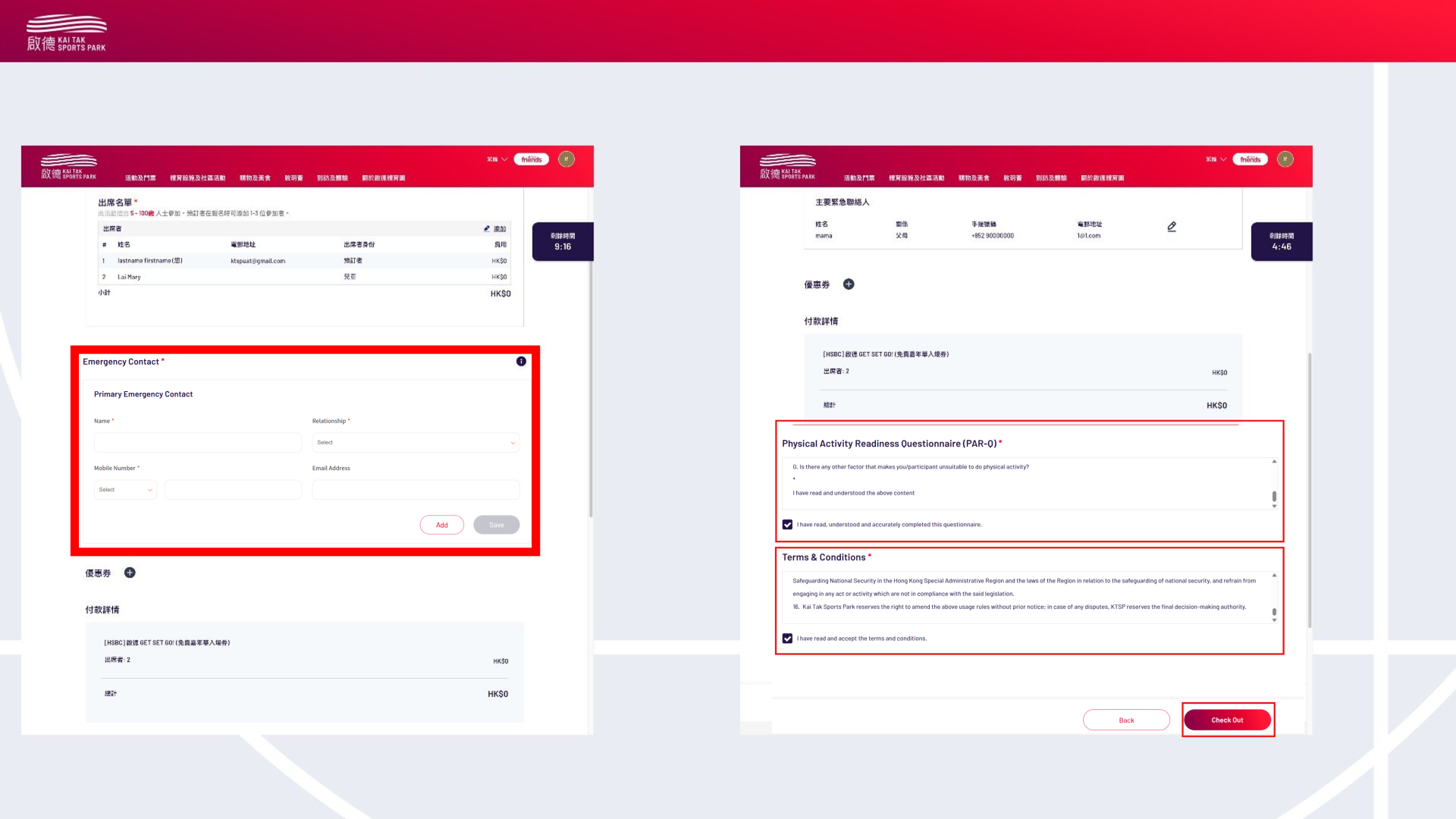
1. Become a Kai Tak Sports Park (KTSP) Member (All participants aged 15 and above must become a "Friends of KTak SP")
- Register as a Member
- Visit the Kai Tak Sports Park website: https://member.kaitaksportspark.com.hk/login/signUp
- Click “Sign Up Now”, fill in the required information, and ensure all details are accurate
- Read the Terms and Conditions carefully, then click “Continue”
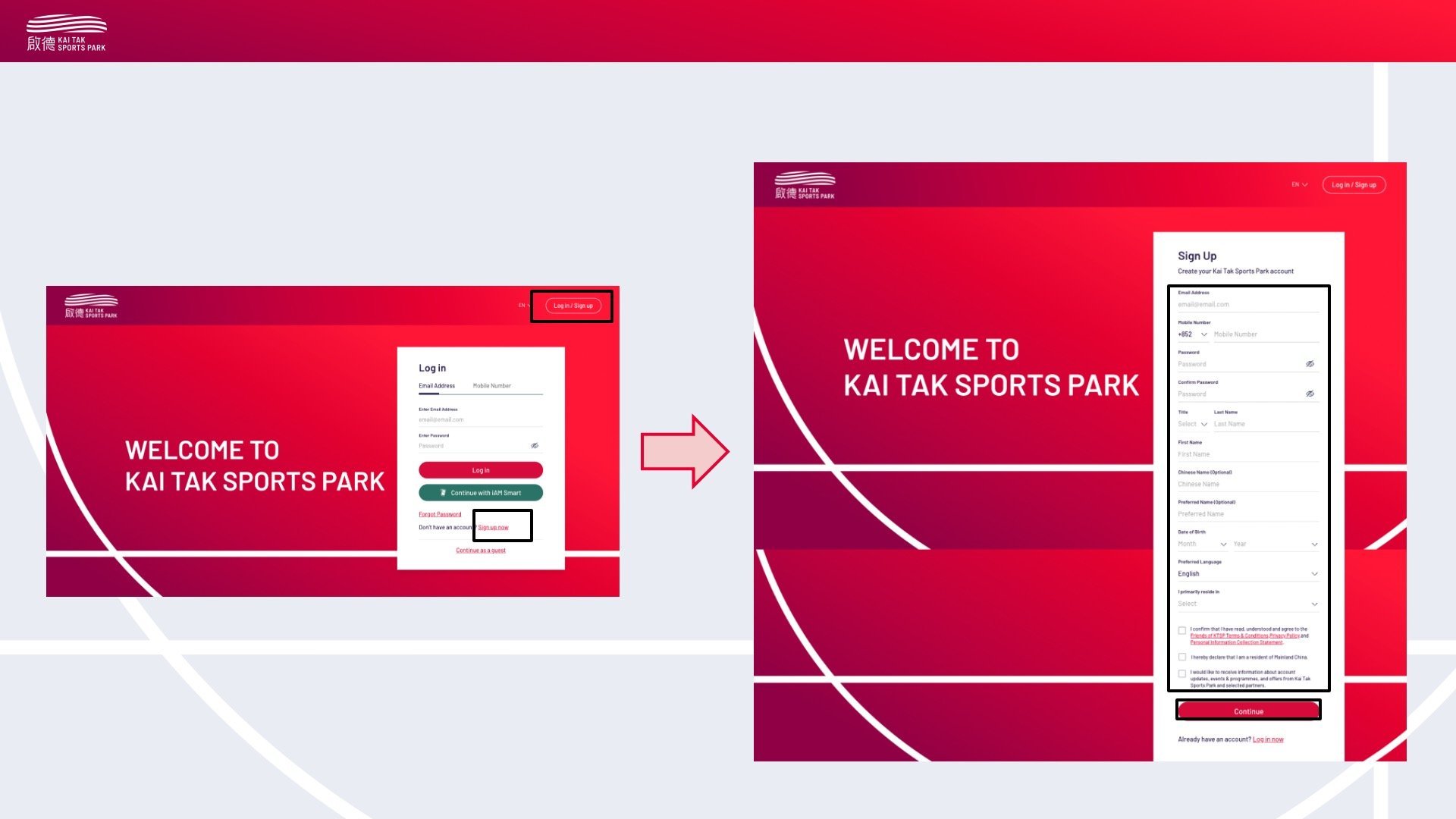
- Verification
- Check your email inbox
- Click the verification link in the system email to verify your email address
- After clicking the link, a verification SMS will be sent to your registered phone number
- Enter the verification code on the website to complete the registration process
2. Add Friend or Child in My Player(s)
100KM / 10KM: Ensure all participating teammates are successfully registered as “Friends of KTSP” before registering, then add them as your friends in the “My Player(s)” section and include them in your team during registration.
Family Run: Due to age restrictions, children do not need to register as “Friends of KTSP”. Parents can directly add children in “My Player(s)” during registration.
Three Generations: Only one family member needs to register, and a representative will follow up on the information of other members.
- Click on the profile icon at the top right
- Click “My Player(s)”
- Click “+ Add”
- Select “Child” or “Friend” (For the family run, children can be added directly without registration)
- If participating in the 100KM or 10KM, you must first add player(s). In the “Add Player(s)” section, select “Friend”
- In “Add Player(s)”, click “Friend”
- Enter the friend's name, email, or phone number
- The system will automatically send an email invitation to your friend
- Teammates will receive the invitation email
- They need to download the Kai Tak Sports Park app or log in to the Kai Tak Sports Park website, then click to accept the invitation
- Go to “My Player(s)”
- Click “Accept”
- Once all teammates accept the invitation, select all participating teammates from the “My Player(s)” list. After completing this step, you can add all teammates to your team during registration
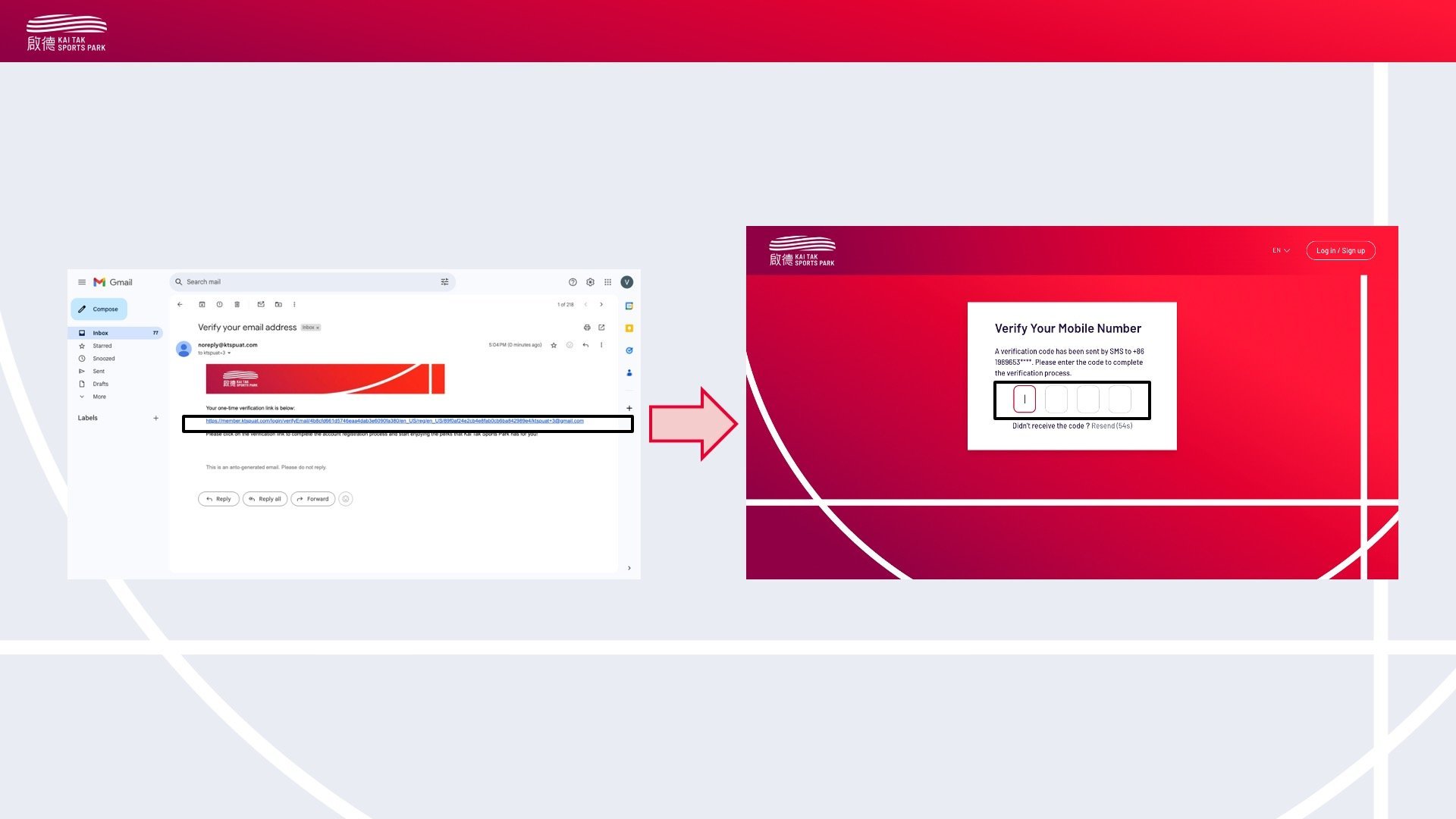
3. Register for the Activity
- Select Registration Type
- Go to “Booking & Programmes”
- Select “Community Programmes” to view the activity list
- Select the “100KM Treadmill Charity Challenge”
- Choose the your category:
- 100KM / 10KM
- Family Run
- Three Generations
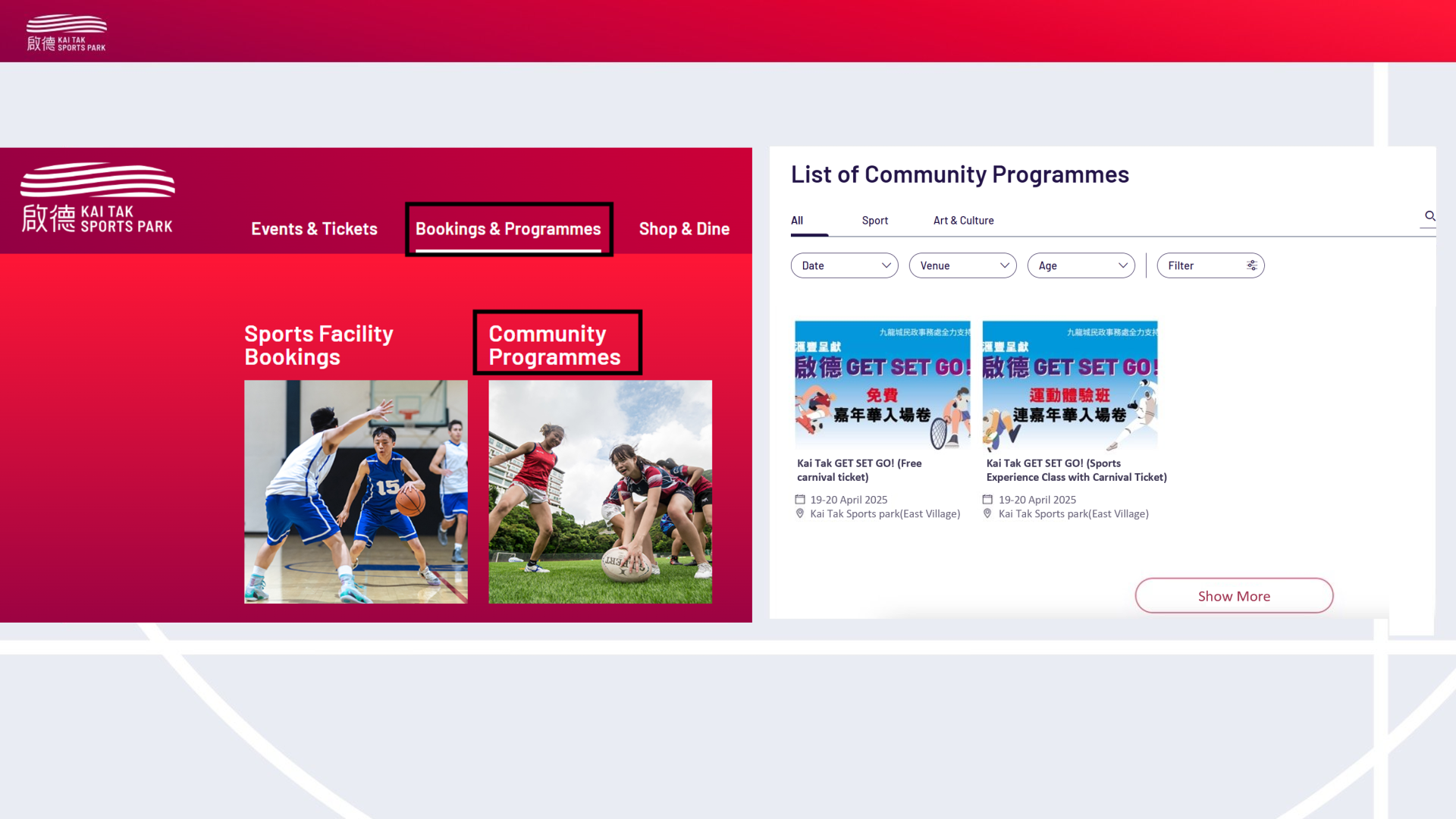
- Add Participants
Family Run can directly add children; other categories must follow the process above to become “Friends of KTSPark” and add them in “My Player(s)” before registration. Three generations group only requires one family member to represent during registration.
- Click “Add” to open the “Attendee List”
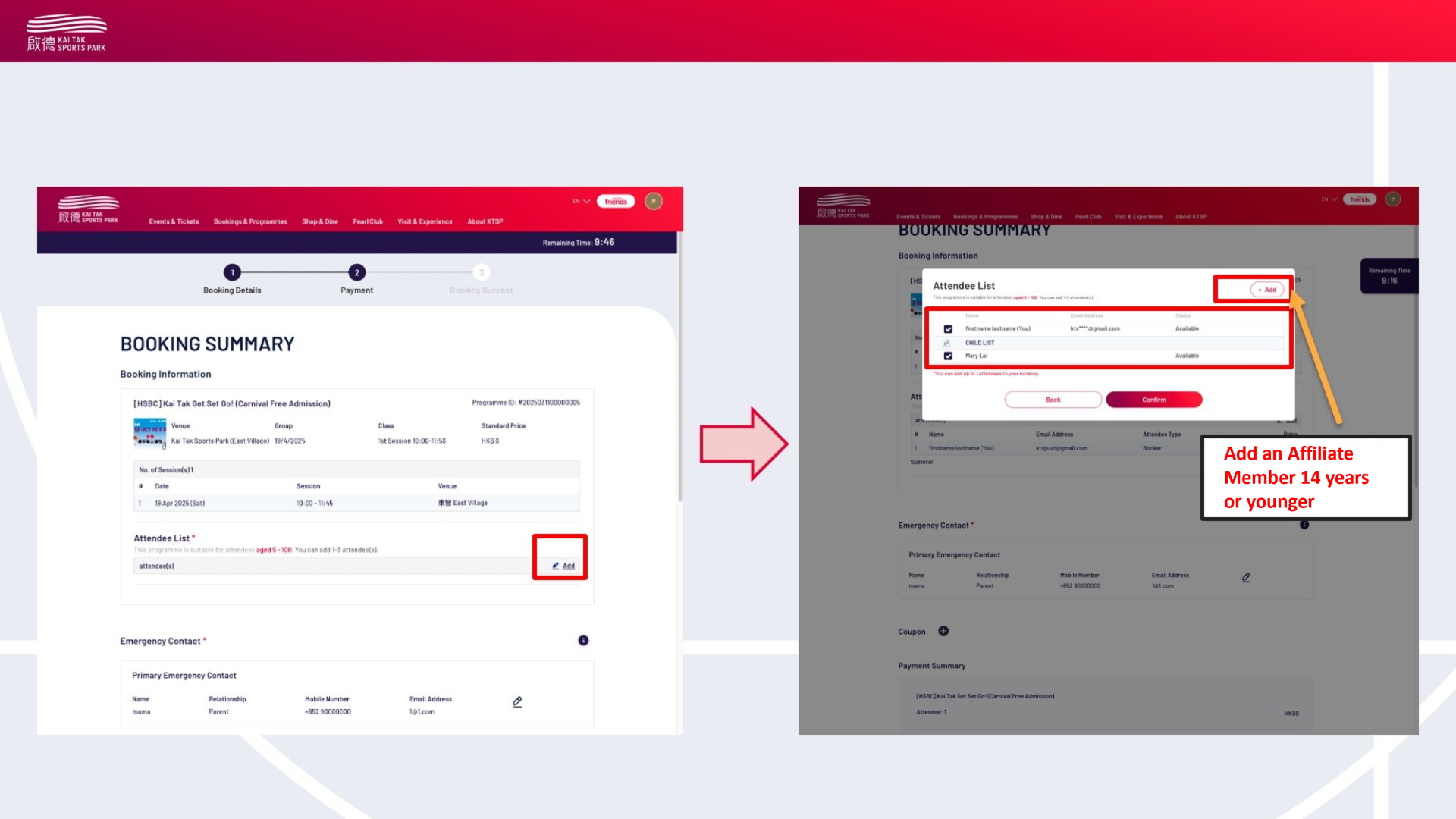
- Select “Attendees” or “Child” and enter the details of children aged 14 or below
- Confirm Participants List
 *No changes can be made after the registration is submitted
- Additional Item List
- Click “Add” to open the “Additional Items List”
- Select the desired 100KM Treadmill Charity Challenge T-shirt and confirm
- Fill in all information, confirm the terms and conditions, and finally click checkout
- Confirm Registration
Review your booking information on the confirmation page and receive a confirmation email